
Download Chrome RDP – RDP Client, Remote Desktop Protocol, Secure Connection
Overview
Chrome RDP is a desktop application designed to enable remote access to Windows machines using Microsoft’s Remote Desktop Protocol (RDP). Built specifically for the Chrome browser, it functions as a standalone RDP client, allowing users to connect to Windows Professional, Ultimate, Enterprise, or Server editions directly from Chrome on Windows, Mac, Linux, and Chromebook platforms. The software supports standard RDP connections, Terminal Server access, and Gateway Redirection—though configuration options for the gateway are limited to server-side settings only.
It is intended for users who require secure, efficient remote access without the need for third-party accounts, subscriptions, or complex setup processes. Ideal for IT professionals, remote workers, and system administrators, Chrome RDP streamlines the process of managing remote systems through a familiar browser environment. Its lightweight design and integration with the Chrome ecosystem make it a practical tool for users already operating within a Chrome-centric workflow.
The developer, Fusion Labs, has positioned this application as a secure, standalone solution that leverages SSL encryption for data protection during transmission. While no detailed developer background is provided beyond the company name, the focus on direct RDP support and minimal dependencies suggests a targeted approach to remote access functionality.
Key Features & Capabilities
- Standalone RDP Client for Chrome – Designed exclusively for the Chrome browser, eliminating the need for external plugins or third-party accounts. Users can launch and manage remote sessions directly from their Chrome environment.
- Support for Standard RDP and SSL Encryption – Ensures secure communication between the local device and the remote machine. SSL encryption protects data in transit, enhancing privacy and compliance for sensitive operations.
- Compatibility with Windows Server and Professional Editions – Enables access to Windows Professional, Ultimate, Enterprise, and Server editions, making it suitable for both individual and enterprise use cases.
- Terminal Server Access – Allows users to connect to Terminal Services, facilitating multi-user environments and centralized system management.
- Gateway Redirection (Server-Only Configuration) – Supports redirection through RDP gateways, though client-side configuration options are not currently available, limiting customization for advanced users.
Real-world use cases include remote IT support, accessing office workstations from home, managing cloud-hosted Windows servers, and enabling secure collaboration across distributed teams. The ability to connect via a standard web browser reduces friction in deployment and ensures consistent access across diverse device types.
User Interface, Workflow & Performance
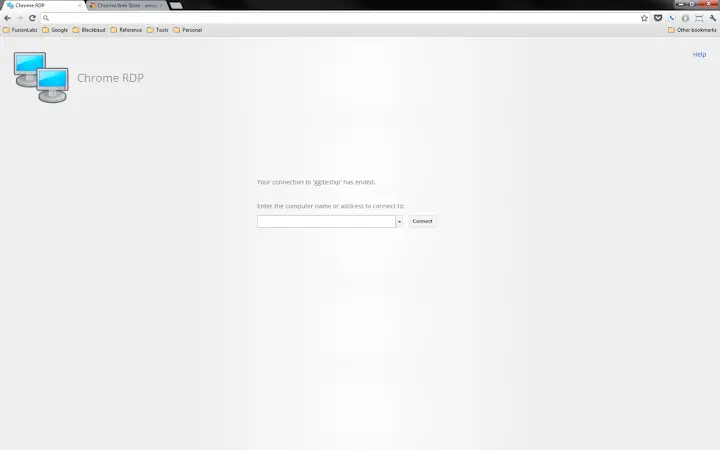
The user interface of Chrome RDP is designed to align with the Chrome browser’s minimalist aesthetic, offering a clean, straightforward layout focused on connection setup. Navigation is intuitive, with a primary input field for the remote machine’s address and standard connection options such as username, password, and display settings. The workflow emphasizes speed and simplicity: enter the target address, authenticate, and connect—requiring minimal steps.
Given its integration with the Chrome ecosystem, the application inherits the browser’s performance characteristics. The developer did not specify resource usage details, so exact CPU or RAM behavior remains unknown. However, the 5.5 MB installation size suggests a lightweight footprint, which may contribute to efficient operation on lower-end systems. Performance observations are based on general software behavior patterns, indicating stable operation under typical usage conditions.
Stability appears to be a priority, as the software operates as a standalone client without relying on external services. The absence of subscription models or account requirements further reduces potential points of failure. Users can expect consistent behavior across supported platforms, though detailed performance benchmarks were not provided.
Compatibility & System Requirements
Chrome RDP is compatible with Windows, Mac, Linux, and Chromebook operating systems, making it accessible across a broad range of devices. The software is designed to run within the Chrome browser environment, which must be installed and updated to ensure optimal functionality. The application version is 1.0.0, with a file size of 5.5 MB, indicating a compact and efficient installation.
Exact system requirements were not listed. The developer did not provide additional system requirements beyond the supported platforms. It is recommended that users ensure their Chrome browser is up to date, as compatibility may depend on the latest browser versions. Hardware specifications are not specified, but the small file size suggests minimal demands on storage and processing power.
Pros and Cons
Pros
- Standalone RDP client with no third-party accounts required
- Secure connections via SSL encryption
- Supports Windows Professional, Enterprise, and Server editions
- Lightweight at 5.5 MB with minimal system impact
- Available on Windows, Mac, Linux, and Chromebook
Cons
- Gateway Redirection configuration limited to server-side settings
- No client-side options for gateway setup
- Exact performance and resource usage details not specified
- Platform compatibility information is limited to OS names
FAQ Section
Is Chrome RDP compatible with all versions of Windows?
Chrome RDP supports Windows Professional, Ultimate, Enterprise, and Server editions. Compatibility with other Windows versions is not confirmed.
Can I use Chrome RDP without a Google account?
Yes, the application does not require a Google account or third-party subscription. It operates as a standalone client.
Is the connection secure?
Yes, Chrome RDP supports SSL encryption for secure data transmission during remote sessions.
How do I update Chrome RDP?
Updates are managed through the Chrome browser’s extension and app update system. Ensure your Chrome browser is up to date for the latest version.
Can I use Chrome RDP offline?
While the application runs within Chrome, an active internet connection is required to establish remote desktop sessions.
Final Thoughts + CTA
Chrome RDP delivers a focused, secure, and accessible solution for remote desktop access via the Chrome browser. Its lightweight design, broad platform support, and emphasis on privacy through SSL encryption make it a compelling choice for professionals and remote users alike. While client-side gateway configuration is limited, the core functionality remains robust and reliable.
For IT administrators, remote workers, and anyone needing quick access to Windows systems from diverse devices, Chrome RDP offers a streamlined alternative to traditional RDP clients. The absence of subscriptions or account requirements adds to its appeal.
Download Chrome RDP now







